
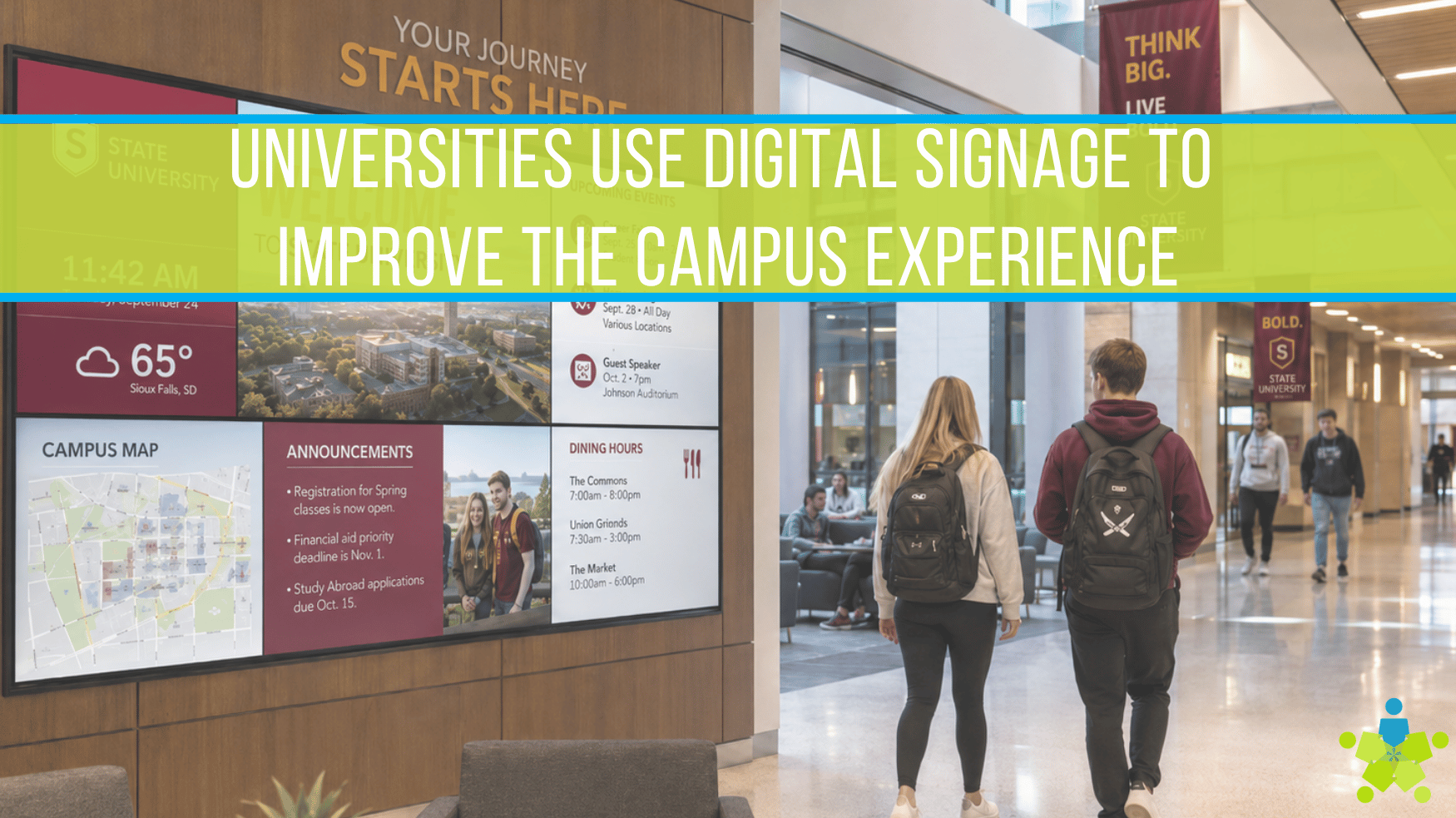
How Universities Use Digital Signage to Improve the Campus Experience
Three essential considerations for rack rooms
On a busy campus, information doesn’t just need to exist—it needs to show up in the right place, at the right time, in a format people can understand quickly.
That’s why more universities treat digital signage as part of the campus “operating layer.” When it’s planned well, signage supports student experience, academic operations, and institutional communications—without adding chaos or support burden.
Below are practical ways universities are using signage to make a measurable difference—especially in high-traffic environments where confusion costs time.
1) Wayfinding that reduces late arrivals and “where is…?” traffic
Wayfinding is one of the fastest wins because it solves everyday friction:
- First-year students navigating buildings and departments
- Visitors finding parking, entrances, and check-in points
- Event attendees locating sessions and rooms
- People re-routing around construction or closures
Effective wayfinding is not just “a map on a screen.” It’s a system:
- Building directories at entrances and key intersections
- Clear prompts at decision points (elevators, stairwells, corridor splits)
- Event-based routing (today’s conference → room → floor)
- Dynamic updates when schedules or locations change
This matters for leadership because it improves experience and reduces staff time spent answering repetitive questions.
Practical tip: start with one “pain corridor” (a confusing entryway, a major lecture hall building, or a conference venue) and build a repeatable directory pattern.
2) Academic scheduling outside classrooms and lecture halls
Universities use signage to publish:
- Classroom schedules and course rotations
- Room changes and temporary closures
- Department hours and service availability
- Lab and resource availability windows
The value comes from accuracy and ownership. When the data source is unclear—or updates are manual—signage becomes untrusted. Institutions that see adoption define:
- the “source of truth” for schedules,
- who owns it,
- how often it syncs/updates, and
- what happens when data conflicts.
3) Student life messaging that drives participation
For Student Affairs, signage supports:
- Event promotion and attendance reminders
- Wellness messaging and resources
- Student organization spotlights
- Orientation and onboarding guidance
The key is governance. Without templates and posting rules, signage becomes cluttered. With a simple model (templates + content calendar + posting windows), universities keep screens helpful instead of noisy.
4) Campus services and operational updates
Signage is an effective channel for operational messaging:
- Dining hours, menu highlights, and closures
- Shuttle schedules and transit changes
- Facility updates (renovations, temporary reroutes)
- Library hours, quiet zones, and service notices
This is where signage earns trust: clear, timely updates people actually need.
5) Safety and urgent communications (defined and tested)
Many campuses include urgent and priority messaging pathways within signage strategies—especially for high-traffic zones. The important part is not the feature list; it’s the policy and verification:
- Which messages qualify as “priority”?
- Who can trigger them?
- Which screens must display them?
- How will the campus test and document readiness?
Avoid vague promises. Define the workflow, test it, and make it operational.
6) Executive and visitor experience in public-facing spaces
In admissions, advancement, and executive areas, signage supports:
- A premium arrival experience (welcome + agenda)
- Donor recognition with controlled, approved content
- Institutional storytelling (research highlights, outcomes, community impact)
- Event-day itineraries that update in real time
For C-level leaders, the value is brand consistency and stakeholder experience without staff reprinting materials every week.
7) Research and academic storytelling that builds pride
Universities use signage to elevate:
- Faculty and student research spotlights
- Grants and awards
- Lab initiatives and partnerships
- Public lecture series and symposiums
This can increase internal awareness and strengthen how visitors understand the institution’s impact especially when content is curated and consistent across buildings.
8) Accessibility-informed content practices that help everyone
Accessibility-informed design does not have to make the program complicated, you can make it usable immediately:
- Set minimum font sizes by typical viewing distance
- Use high-contrast templates for readability
- Limit dense paragraphs and reduce motion
- Keep layouts consistent so messages scan quickly
These decisions improve communication for everyone moving through campus at speed.
9) Centralized monitoring that prevents “silent failures”
One of the most overlooked benefits is operational: when signage is monitored, IT teams can catch issues before someone emails, “That screen has been black for a week.”
Central monitoring helps:
- Reduce ticket volume
- Protect credibility
- Improve uptime perception
- Support distributed deployments without distributed troubleshooting
The program layer that makes all of this work: governance
The difference between “screens” and a “platform” is governance. Strong signage programs define:
- Who can publish, and to which zones
- Content approval rules for high-visibility locations
- Posting windows and refresh expectations
- Escalation for urgent messaging
- Hardware standards that keep support manageable
This is what campus leadership needs from a scalable communication channel: one that scales without turning into a maintenance burden.
A simple way to start: pilot → standardize → phase
If you’re building momentum, start with a pilot that tests your highest-value use cases:
- Wayfinding in a confusing or high-traffic zone
- Scheduling outside key lecture halls
- Visitor experience in a priority building
Then standardize:
- Screen categories and mounting patterns
- Template sets for the most common message types
- Ownership and approvals
- Monitoring and escalation workflows
Finally, phase across campus to protect consistency. A phased approach works best when the standards are defined early—so phase two doesn’t become “a different system.”
Why Partner with Data Projections?
With more than 35 years of experience, Data Projections continues to adapt to the changing AV industry. We design customized systems built around your workflow, goals, and operational needs, then provide professional installation to ensure every component works together seamlessly and reliably. Beyond installation, we offer ongoing service and support to help maintain long-term performance while guiding you toward future-ready solutions as technology evolves. When reliability matters, experience makes all the difference.
Ready to improve the campus experience? Contact Data Projections to explore a signage strategy built for scale.


Darlene Rankin
Darlene Rankin is the Education Business Development Manager at Data Projections, Inc. She is an accomplished education technology leader with over twenty years of experience, including twenty-four years as Director of Innovation and Instructional Technology at Katy ISD in the Greater Houston Area. In 2025, she joined DPI to focus on expanding AV technology solutions for Texas schools and supporting innovation, collaboration, and student success.